Check WordPress Theme Code for Malware Before Upload
A single compromised theme file sitting on your WooCommerce store can silently siphon customer payment data for weeks before anyone notices.
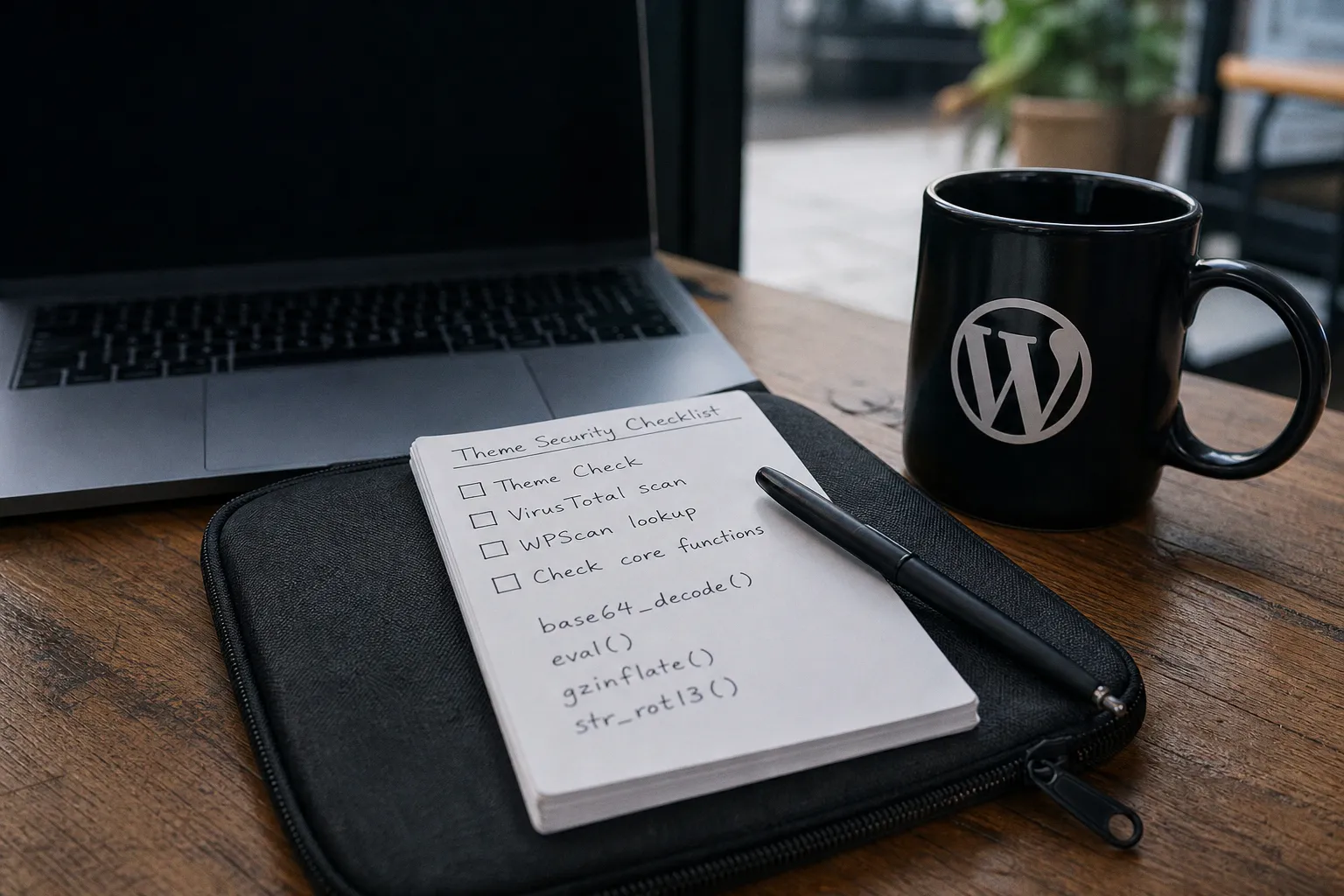
Check WordPress Theme Code for Malware Before Upload
This is not theoretical. Nulled and pirated WordPress themes remain the number-one vector for backdoor injection into live stores. And the uncomfortable truth is that even themes sourced from marketplaces with review processes can carry obfuscated code that slips past automated checks. If you are about to install a theme on a revenue-generating site, you need a verification workflow — not a hope and a prayer.
A theme that passes a single scan is not "safe." A theme that passes every scan you know how to run is one you can deploy with confidence.
The Real Cost of a Compromised Theme
Before we talk about tools, let's talk about what is actually at stake — because security discussions tend to drift into abstract "best practices" language that makes store owners tune out.
When malicious code enters your WordPress installation through a theme, it typically does one or more of the following:
- Injects a hidden admin account, giving the attacker persistent access even after you change your own password.
- Redirects checkout traffic to a cloned payment page that harvests credit card numbers.
- Installs SEO spam links across your site, tanking your organic rankings within days.
- Turns your server into a bot for sending spam email or launching DDoS attacks, which gets your IP blacklisted by hosting providers and email services alike.
For a WooCommerce store processing even modest order volume, the revenue impact compounds fast. Google Safe Browsing flags your domain. Customers see the red "Deceptive site ahead" screen. Your email deliverability drops to zero because your domain reputation is destroyed. Cart abandonment — already averaging around 70% for most e-commerce operations — spikes even higher among the traffic that does arrive.
The fix? Do not let the code in the door in the first place.
Where Malware Hides: Third-Party Themes and Nulled Software
The most dangerous themes are the ones that seem like a bargain.
"Nulled" themes — premium commercial themes redistributed for free on piracy sites — are essentially malware delivery vehicles dressed up as WordPress files. Security researchers estimate that 100% of nulled themes contain some form of injected code. Not sometimes. Every single time. The people distributing these files are not doing charity work; they are monetizing your server.
But the threat is not limited to obviously pirated software. Themes purchased from legitimate marketplaces can still carry vulnerabilities if the developer cut corners on coding standards, used deprecated WordPress functions, or bundled outdated third-party libraries with known exploits. Even themes hosted in the official WordPress.org repository have had security issues surface post-review — the repository vetting process checks for compliance with coding standards, not for the absence of all possible vulnerabilities.
The practical takeaway: source matters, but source alone is not sufficient. You need to verify regardless of where the theme came from.
Automated Scanning: VirusTotal and Security Databases
Your first line of defense is automated scanning. It is fast, it catches known signatures, and it should be a non-negotiable step before any theme touches your production server.
VirusTotal
VirusTotal runs your files against more than 70 antivirus engines and URL scanners simultaneously. Here is how to use it for theme verification:
1. Upload the entire theme ZIP file to VirusTotal before extracting anything. The platform will unpack and scan individual files within the archive.
2. Check the detection ratio. If even one engine flags a file, treat it as a red flag until you have manually reviewed the flagged code.
3. Review the "Community" tab. Security researchers frequently leave notes on submissions — context that raw detection data alone will not give you.
4. Scan individual PHP files if the ZIP scan returned mixed results. Sometimes a single obfuscated file buries itself in a subdirectory like `/inc/` or `/lib/`.
VirusTotal does not catch zero-day exploits or brand-new backdoors with no existing signature. That is its limitation. But for known malware families, cryptominers, and common backdoor patterns, it is remarkably effective.
WPScan Vulnerability Database
WPScan maintains a curated database of known WordPress theme and plugin vulnerabilities. Before installing any theme, search its name and version number in the database. If a specific version has a documented SQL injection, cross-site scripting (XSS), or remote code execution vulnerability, you will find it here — along with the CVE identifier and affected version range.
This takes thirty seconds and can save you from deploying a theme with a publicly documented exploit that any script kiddie can weaponize.
Additional Automated Tools
| Tool | What It Checks | Best Use Case |
|---|---|---|
| VirusTotal | Known malware signatures across 70+ AV engines | Initial ZIP file screening |
| WPScan DB | Documented CVEs for specific theme versions | Version-specific vulnerability lookup |
| Theme Check Plugin | WordPress coding standards and deprecated functions | Compliance and code quality audit |
| Sucuri SiteCheck | Post-installation remote malware scanning | Verifying a live site after theme activation |
Combine at least two of these tools before deployment. A single scan — from any tool — is a necessary but insufficient security checkpoint.
Identifying Obfuscated PHP: The Red-Flag Functions
Automated tools catch the obvious. Manual code review catches what machines miss.
When you unzip a theme and start looking through the PHP files, certain function calls should immediately raise your suspicion. Malicious developers use these functions to hide the true intent of their code from casual inspection and even from some automated scanners.
The most common obfuscation techniques involve:
- `base64_decode()` — Encodes binary data into ASCII text. Legitimate themes occasionally use this for non-malicious data handling (like embedding image data), but when you find it combined with `eval()` or `gzinflate()`, you are almost certainly looking at a backdoor.
- `eval()` — Executes a string as PHP code. There is virtually no legitimate reason for a WordPress theme to use `eval()`. If you see it, investigate immediately.
- `gzinflate()` — Decompresses data that has been deflated. Attackers use this to compress and hide malicious payloads inside strings that look like random gibberish.
- `str_rot13()` — Applies a simple letter-substitution cipher. It is trivially reversible, but it adds enough visual noise to fool a quick glance at the code.
- `shell_exec()` — Executes command-line instructions on your server. A theme should never need to execute shell commands. Full stop.
- `base64_decode()` chained with `eval()` and `gzinflate()` — This combination is the classic signature of a PHP webshell or backdoor. The encoded, compressed payload gets decoded, decompressed, and executed in a single line of code that looks like gibberish to the untrained eye.
Here is what a suspicious pattern looks like in practice:
eval(gzinflate(base64_decode('HJ3Hbs...')));That single line can contain hundreds of lines of malicious code — from database credential theft to remote file upload capabilities. If you encounter this pattern, do not activate the theme. Period.
The rule is simple: if a theme's code is trying harder to hide what it does than to do it, you have your answer.
A quick search strategy for your code editor: open the theme folder and use global search (Ctrl+Shift+F in most editors) to scan all `.php` files for `eval(`, `base64_decode(`, `shell_exec(`, `gzinflate(`, and `str_rot13(`. Any hits deserve a manual read-through of the surrounding code to determine whether they are benign or malicious.
The Theme Check Plugin: WordPress.org Compliance Audit
The WordPress.org theme review team uses the Theme Check plugin as their official compliance tool, and you should use it too. It tests themes against the current WordPress coding standards, flags deprecated functions, checks for required template files, and identifies security issues that would cause a theme to fail repository submission.
Install it directly from your WordPress dashboard:
1. Navigate to Plugins → Add New.
2. Search for "Theme Check."
3. Install and activate the plugin.
4. Go to Appearance → Theme Check, select the theme you want to test, and click Check it!
The plugin outputs a detailed report organized into Required, Recommended, and Warning categories. Pay particular attention to:
- Use of deprecated WordPress functions — these often indicate a theme that has not been updated to current security standards and may contain exploitable code paths.
- Missing text domain or incorrect text domain usage — sloppy localization can indicate broader code quality issues.
- Direct database queries without proper escaping — this is an SQL injection vulnerability waiting to happen. If Theme Check flags this, the theme's developer is not following basic security hygiene.
- Use of `file_get_contents()` or `file_put_contents()` — these functions can be exploited to read or write arbitrary files on your server if the input is not properly sanitized.
Theme Check is not a malware scanner. It is a code quality and standards compliance tool. But poor coding standards correlate heavily with security vulnerabilities, so treat warnings from this plugin as meaningful data points in your decision to deploy.
Manual Inspection of External Requests and Included Files
This is where you catch what everything else misses.
Open the theme's `functions.php` file — this is the primary entry point for theme functionality and the most common place to find injected code. Then systematically review every `include()`, `require()`, `include_once()`, and `require_once()` call. Each of these pulls another PHP file into execution. Your job is to verify that every included file exists in the theme directory and contains only code that makes sense for a WordPress theme.
Pay close attention to:
Outbound HTTP Requests
Look for calls to `wp_remote_get()`, `wp_remote_post()`, `curl_exec()`, or `file_get_contents()` with an external URL as the parameter. A theme might legitimately phone home to check for updates — but if it is sending data to an unfamiliar domain, that is exfiltration. The payload could be your database credentials, your admin usernames, your customer email lists.
If you find an outbound request to a domain you do not recognize, do a WHOIS lookup. If the domain was registered recently and is hosted in a jurisdiction known for lax enforcement, you have a strong signal of malicious intent.
Embedded Iframes and Script Tags
Search the entire theme for `<iframe` and `<script` tags embedded directly in PHP files. Themes should enqueue their JavaScript through `wp_enqueue_script()`, not embed raw script tags. An inline script loading content from an external domain is a delivery mechanism for drive-by downloads, cryptocurrency miners, or redirect chains.
Unusually Large or Nonsensical Strings
If you find a PHP variable assigned to a string that is thousands of characters long and consists of what looks like random letters and numbers, that is base64-encoded payload material. Decode it in a sandbox environment (never on your production server) to see what it actually contains.
Confusing File and Directory Names
Legitimate themes use descriptive names for their files and directories: `header.php`, `template-parts/`, `assets/js/`. If you find a directory named with random characters or a PHP file called something like `wp-config-backup.php` or `class-wp-update.php` in a theme that has no business having such a file, dig deeper.
Closing the Loop: From Audit to Deployment
Once your theme has cleared every checkpoint — automated scans, vulnerability database check, Theme Check compliance, and manual code review — you can activate it on your staging environment first. Run it for 48 hours minimum while monitoring your server logs for unexpected outbound connections, file modifications, or new admin accounts appearing.
Only after staging validation should you push the theme to production.
This entire workflow takes a focused afternoon. Compare that to the alternative: a compromised checkout page skimming customer payment data for weeks, a Google blacklist that tanks your organic traffic by 90%, and the compounding cost of customer trust erosion that no ad budget can fix.
Every security step you skip is a conversion risk you accept. The merchants who treat theme verification as non-negotiable infrastructure — not optional paranoia — are the ones whose stores stay online, stay fast, and keep converting. Build the audit into your deployment process once, and it becomes second nature. Skip it, and you are gambling with revenue you cannot afford to lose.